
Executive summary
As of November 2026, CybersecTools tracks 104 companies that sell email & messaging security solutions as their main business. Email DLP is part of that family. The largest groups are based in the United States, the United Kingdom and Canada. In the last 12 months they raised $69M across 6 funding rounds, 2 companies were acquired and 13 new companies started in the last two years.
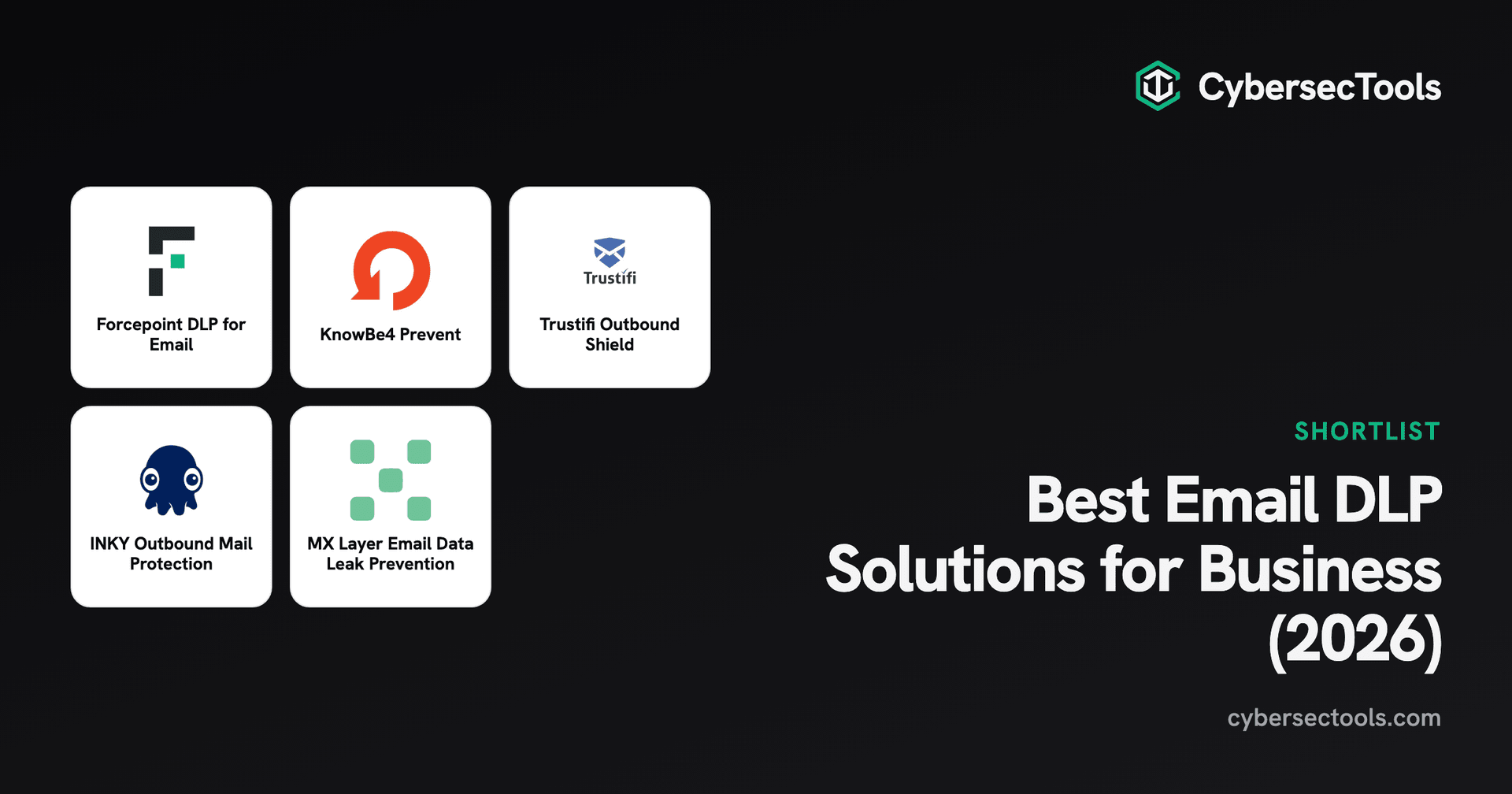
From that field we chose five solutions that stop sensitive data from leaving your company by email. Forcepoint DLP for Email suits larger companies that want the same data rules for email, web, cloud and endpoints, because it shares one policy console with Forcepoint's wider data security platform. KnowBe4 Prevent fits teams whose main risk is human error, such as the wrong recipient or attachment. It learns how each person emails and warns them before they send. Trustifi Outbound Shield suits companies that must encrypt regulated data, since it scans outgoing mail and encrypts it automatically.
The main choice is between rules and behavior. Rule-based products match keywords, patterns and data types, while behavior-based products learn normal sending patterns and flag what looks wrong. Most buyers need some of both.
Ask each vendor how many false warnings users see in a normal week, because that decides whether staff keep listening.
How we evaluated
We looked at 8 email DLP solutions from 8 companies, and the 5 on this page made the cut. We combined our judgment from years of leading enterprise security programs with market data from Mandos, our market intelligence platform, and with the vendor and review pages listed under Sources at the end of this page. For customer feedback, we left out paid reviews, reviews by vendor staff or partners, review campaigns and anything older than two years, so you get an accurate view of what customers say.
Four traits mattered most: accurate detection of sensitive data; catching misdirected email before it is sent; approval, encryption and blocking actions; and support for Microsoft 365, Exchange and Google Workspace. We left out products that only warn in one mail client or only filter images. The order follows how widely each product is used by teams like yours. Company momentum shows how the vendor itself is growing, so a market leader can rank first with a lower score.
Read the full method · See all sources
What is Email DLP
Email data loss prevention (DLP) products check outgoing email for sensitive data, such as customer records, card numbers, health data and contracts, before it leaves your company. They can warn the sender, ask a manager to approve, encrypt the message or block it. Many also catch misdirected email, such as an autocomplete error that sends a file to the wrong person.
This matters because email is still the most common way data leaks out, and most leaks are mistakes rather than attacks. Rules such as GDPR and HIPAA also expect you to protect personal data you send. Email DLP gives you that control without stopping people from working.
Compare Email DLP solutions
This analysis focuses on five email DLP solutions. The table compares them on vendor, who each one is best for, deployment model and the NIST CSF functions they cover.
- 1.

Forcepoint DLP for Email
Best for: Large companies wanting one DLP policy everywhere
Starting price: Contact sales
Hybrid · SMB to Enterprise · NIST: Protect
- 2.

KnowBe4 Prevent
Best for: Teams worried about misdirected email
Starting price: From $4.58 per user per month
Cloud · SMB to Enterprise · NIST: Protect, Detect
- 3.
Trustifi Outbound Shield
Best for: Companies that must encrypt regulated data
Starting price: Contact sales
Cloud · SMB to Enterprise · NIST: Protect, Detect
- 4.

INKY Outbound Mail Protection
Best for: Teams wanting manager approval for risky email
Starting price: Contact sales
Cloud · SMB to Enterprise · NIST: Protect, Detect
- 5.

MX Layer Email Data Leak Prevention
Best for: Smaller teams wanting rule-based email filtering
Starting price: Contact sales
Cloud · SMB to Enterprise · NIST: Protect, Detect
| Solution | Best for | Starting price | Deployment | Company size | NIST CSF functions |
|---|---|---|---|---|---|
| Large companies wanting one DLP policy everywhere | Contact sales | Hybrid | SMB to Enterprise | Protect |
| Teams worried about misdirected email | From $4.58 per user per month | Cloud | SMB to Enterprise | Protect, Detect |
| Companies that must encrypt regulated data | Contact sales | Cloud | SMB to Enterprise | Protect, Detect |
| Teams wanting manager approval for risky email | Contact sales | Cloud | SMB to Enterprise | Protect, Detect |
| Smaller teams wanting rule-based email filtering | Contact sales | Cloud | SMB to Enterprise | Protect, Detect |
Vendors change prices, so check before you buy.
See every Email DLP solution we list
The full Email DLP market, filtered by company size, deployment and NIST coverage.
DLP solution for preventing data exfiltration via outbound email channels
Austin, United StatesFounded 1994
- SOC 2
- ISO 27001
- FedRAMP
- PCI DSS
- HIPAA
Best for: Large companies wanting one DLP policy everywhere
At a glance
- Vendor
- Forcepoint
- Headquarters
- Austin, United States
- Founded
- 1994
- Deployment
- Hybrid
- Company size
- SMB, Mid-Market, Enterprise
- NIST CSF
- Protect
- Pricing
- Contact sales
Funding, hiring and news for Forcepoint on Mandos.
Our take
Forcepoint DLP for Email applies data loss prevention policies to outbound email without agents. It runs on Microsoft Exchange and Gmail for Business, in the cloud or on premises, and it can encrypt messages that contain sensitive data.
Its main strength is the shared policy console. The same rules you write for email also cover web, cloud and endpoints in Forcepoint's wider data security platform, so you define sensitive data once. Forcepoint says policies can be set up and deployed in minutes, and it offers controls for where data is stored.
Forcepoint makes the list because one set of data rules covers email along with web, cloud and endpoints, which matters if you want to define sensitive data once across every channel. It fits larger companies on Exchange or Gmail that may need a cloud or on-premises setup. Its detection rests on rules, so ask how it handles an email sent to the wrong person that carries no sensitive data.
Forcepoint DLP for Email main features
- Outbound email monitoring and control
- Agentless deployment
- Unified policy management console across email, web, cloud, and endpoint
- Integration with major email providers
- On-premises and cloud deployment options
- Email encryption support
- Policy configuration and deployment in under five minutes
- Data sovereignty controls
Forcepoint DLP for Email main integrations
- Microsoft Exchange
- Gmail for Business
Before you buy
Where it is strong
- One policy console for email, web, cloud and endpoints
- No agents needed for email
- Cloud or on-premises deployment
Ask in the demo
- Ask whether you need the full Forcepoint DLP platform to get email DLP
- Test detection on your own documents and templates
- Ask how encryption works for external recipients
Email DLP solution using ML and behavioral AI to prevent data loss
Clearwater, United StatesFounded 2010$1.9B raised
- SOC 2
- ISO 27001
- FedRAMP
- PCI DSS
- HIPAA
Best for: Teams worried about misdirected email
At a glance
- Vendor
- KnowBe4
- Headquarters
- Clearwater, United States
- Founded
- 2010
- Deployment
- Cloud
- Company size
- SMB, Mid-Market, Enterprise
- NIST CSF
- Protect, Detect
- Starting price
- From $4.58 per user per month
Funding, hiring and news for KnowBe4 on Mandos.
Our take
KnowBe4 Prevent learns how each person emails by studying up to 12 months of history, then flags messages that look wrong before they are sent. It catches wrong recipients, wrong attachments, sensitive data and attempts to send work data to personal accounts, and it can tell careless mistakes from deliberate ones.
Users get a short warning inside Microsoft Outlook and Microsoft 365 at the moment of sending, which doubles as training. Admins can add their own DLP rules on top of the built-in ones and review an audit log of what was stopped.
It earns a place because it targets human mistakes, such as the wrong recipient or the wrong file, and it warns the sender in Outlook before the email leaves. That fits a Microsoft 365 company whose main worry is careless sends, though it also flags deliberate ones. Weigh how often users will see a warning in a normal week, because a prompt people learn to click past stops protecting you.
KnowBe4 Prevent main features
- Behavioral AI detection of outbound email anomalies
- Misdirected email detection
- Real-time user nudges before send
- Adaptive data loss prevention with NLP
- Custom DLP rules layered with out-of-the-box rules
- Exfiltration prevention for personal accounts
- CEO impersonation and lookalike domain detection
- 12-month historical email ingestion for behavioral baselines
KnowBe4 Prevent main integrations
- Microsoft 365
- Microsoft Outlook
- Microsoft Azure Information Protection
Before you buy
Where it is strong
- Learns each sender's normal patterns
- Warns users before they send
- Spots data sent to personal accounts
Ask in the demo
- Ask how many warnings a typical user sees each week
- Check support for the mail clients your staff use
- Ask how it works alongside other KnowBe4 products you own
Outbound email security with automated encryption and DLP for compliance
Las Vegas, United StatesFounded 2017$29M raised
- HIPAA
Best for: Companies that must encrypt regulated data
At a glance
- Vendor
- TrustiFi
- Headquarters
- Las Vegas, United States
- Founded
- 2017
- Deployment
- Cloud
- Company size
- SMB, Mid-Market, Enterprise
- NIST CSF
- Protect, Detect
- Starting price
- Contact sales
Funding, hiring and news for TrustiFi on Mandos.
Our take
Trustifi Outbound Shield scans outgoing email for sensitive data and encrypts it automatically under rules you set, using AES 256-bit encryption. It ships with one-click policies for more than 10 compliance frameworks, including HIPAA, GDPR and CCPA.
Recipients open encrypted messages with one click and can be asked to verify with multi-factor authentication. Senders can track delivery, recall messages, revoke access and block forwarding. It connects to Microsoft 365, Exchange on premises, Google Workspace and Amazon SES.
Trustifi is here because it turns a detection into encryption, so sensitive mail still goes out but arrives protected, which suits regulated companies working under HIPAA, GDPR or CCPA. Because it runs on several mail platforms, it also covers mixed setups. Check how people outside your company experience the one-click decrypt and the extra verification step before you roll it out.
Trustifi Outbound Shield main features
- Automatic scanning and encryption of outgoing email
- AES 256-bit end-to-end email encryption
- Data loss prevention rules
- One-click decrypt for recipients
- Multi-factor authentication for recipients
- One-click compliance for 10+ frameworks
- Email tracking and Postmark proof of delivery
- Secure storage and back-up system
Trustifi Outbound Shield main integrations
- Google Workspace
- Microsoft 365
- Amazon SES
- Exchange on-premise
Before you buy
Where it is strong
- Automatic encryption when sensitive data is found
- Ready-made policies for HIPAA, GDPR and CCPA
- Recall, revoke and forward blocking for sent mail
Ask in the demo
- Test the recipient experience with your own customers
- Ask which compliance policies are included in your plan
- Check how it routes mail for your setup
Alternatives to each solution on this list
The closest Email DLP alternatives for every pick, matched on features and integrations.
Outbound email security solution preventing data loss and insider threats
College Park, United StatesFounded 2008$32M raised
- SOC 2
Best for: Teams wanting manager approval for risky email
At a glance
- Vendor
- INKY Technology Corporation
- Headquarters
- College Park, United States
- Founded
- 2008
- Deployment
- Cloud
- Company size
- SMB, Mid-Market, Enterprise
- NIST CSF
- Protect, Detect
- Pricing
- Contact sales
Funding, hiring and news for INKY Technology Corporation on Mandos.
Our take
INKY Outbound Mail Protection checks outgoing email for sensitive data using patterns, keywords and data types. When it finds something, it can ask the sender or a named manager to approve the message inside the email itself. A coaching banner explains the risk.
It works on any device and operating system and connects to Microsoft 365, Google Workspace and Exchange. It can also hand risky messages to an encryption step.
INKY earns its spot because it puts an approval step inside the email itself, so a sender or a named manager signs off before sensitive data leaves. That suits a team that wants a human check rather than a silent block, on Microsoft 365, Google Workspace or Exchange. INKY changed owners recently, so ask how the product will be sold and supported from here.
INKY Outbound Mail Protection main features
- Sensitive data detection in outgoing email
- In-email approval process
- Self-approval and manager-approval rules
- Customizable rules and sender/approver pairs
- Real-time security coaching banner
- Works on any device and OS
- Email encryption workflow option
- Pattern, keyword and data type matching
INKY Outbound Mail Protection main integrations
- Microsoft 365
- Google Workspace
- Exchange
Before you buy
Where it is strong
- Approval steps inside the email itself
- Coaching banner that explains the risk
- Works on any device
Ask in the demo
- Ask about the product roadmap under its new owner
- Test the approval flow with a busy manager
- Check whether encryption is included or extra
Email DLP solution scanning inbound/outbound emails for data leak prevention
Las Vegas, United StatesFounded 2018
- HIPAA
Best for: Smaller teams wanting rule-based email filtering
At a glance
- Vendor
- MX Layer
- Headquarters
- Las Vegas, United States
- Founded
- 2018
- Deployment
- Cloud
- Company size
- SMB, Mid-Market, Enterprise
- NIST CSF
- Protect, Detect
- Pricing
- Contact sales
Funding, hiring and news for MX Layer on Mandos.
Our take
MX Layer Email Data Leak Prevention scans inbound and outbound email and attachments against policies built from keywords, patterns, file hashes and dictionaries. It checks headers, subject lines, body text, HTML and attachments.
When it finds a possible leak, it can block the message, hold it for admin review or add a disclaimer. It can also deliver the message through a secure portal. It also flags risky recipients.
MX Layer is on the list for rule-based control, because you decide which keywords, patterns, file hashes and dictionaries count as a leak, and it checks every part of the message. That suits smaller teams that want clear filtering with block, hold or secure-portal options. Since detection depends on the rules you write, plan time to build and maintain them, and confirm which mail platforms it supports, because none are listed.
MX Layer Email Data Leak Prevention main features
- Inbound and outbound email scanning
- File attachment inspection
- Policy-based detection using keywords, patterns, file hashes, and dictionaries
- Email blocking for suspected data leaks
- Email quarantine for administrator review
- Secure messaging portal for sensitive email delivery
- Customizable response actions with cc, disclaimers, and content qualifiers
- Examination of headers, subject lines, body text, HTML content, and attachments
Before you buy
Where it is strong
- Rules from keywords, patterns, hashes and dictionaries
- Quarantine for admin review
- Secure portal for sensitive messages
Ask in the demo
- Ask which mail platforms it supports
- Test false positives on your own email
- Ask for customer references in your industry
How they fit your cybersecurity program (NIST CSF)
NIST CSF 2.0 has six functions: Govern, Identify, Protect, Detect, Respond and Recover. The grid shows which functions each pick maps to in our record, so you can see where a solution sits in your program and what it leaves to other controls.
Where each solution sits on NIST CSF 2.0
All 5 solutions map to Protect. 4 of 5 map to Detect. None map to Govern, Identify, Respond or Recover.
Swipe the table sideways to see all six functions.
| Solution | ||||||
|---|---|---|---|---|---|---|
| All solutions on this list | 0 of 5 | 0 of 5 | 5 of 5 | 4 of 5 | 0 of 5 | 0 of 5 |
| Forcepoint DLP for Email | – | – | 2 of 5 | – | – | – |
| KnowBe4 Prevent | – | – | 1 of 5 | 2 of 2 | – | – |
| Trustifi Outbound Shield | – | – | 2 of 5 | 1 of 2 | – | – |
| INKY Outbound Mail Protection | – | – | 1 of 5 | 1 of 2 | – | – |
| MX Layer Email Data Leak Prevention | – | – | 1 of 5 | 1 of 2 | – | – |
A cell shows how many of that function's categories the solution maps to.
A product helps you reach these outcomes, but it does not make you compliant on its own. Your people and processes do the rest.
CISO checklist for selecting an Email DLP product

I built this checklist from my own work researching, rolling out and reviewing products like these. I recommend you go through it before you sign.
Nika (Nikoloz) Kokhreidze, Founder of CybersecTools and Mandos
Work through these steps in order to go from email data risk to a contract you can defend.
Your ticks stay in this browser. Nothing is sent to us.
Compare Email DLP solutions side by side
Features, integrations, NIST coverage and deployment for every Email DLP solution we list, in one table.
Other solutions we considered for this shortlist
We looked at 9 products for this list. These did not make the 5 above but are worth a look for the right team.
Conclusion
Start with your biggest risk. If you want one set of data rules across email, web and endpoints, Forcepoint DLP for Email shares a console with the rest of its data security platform. If wrong recipients and attachments are your main worry, KnowBe4 Prevent learns how each person emails and warns them before they send.
If you must encrypt regulated data, Trustifi Outbound Shield does it automatically. INKY suits teams that want a manager to approve risky messages, and MX Layer fits smaller teams that want simple rule-based filtering.






Frequently Asked Questions
What is email DLP?
Email data loss prevention checks outgoing email for sensitive data and acts before it leaves, for example by warning the sender, asking for approval, encrypting or blocking the message.
Does Microsoft 365 already include email DLP?
Some Microsoft 365 plans include DLP rules for Exchange through Microsoft Purview. Dedicated products add things such as behavior-based misdirected email detection, approval flows or simpler encryption, so compare them against what your plan includes.
What is misdirected email?
Misdirected email is a message sent to the wrong person, often through autocomplete. It is one of the most common causes of reported data breaches, and some products here focus on catching it.
Will email DLP annoy my staff?
It can if it warns too often. Test with real users during a pilot and count how many warnings were useful, because staff stop reading warnings that are usually wrong.
How is email DLP different from email encryption?
Encryption protects a message in transit and at rest. DLP decides which messages need protection or should not be sent at all. Several products here do both.
Sources
These are the pages we reviewed for each pick: the vendor's own product page and website, its market data on Mandos, and every review page we read for customer feedback.
1.Forcepoint DLP for Email · Forcepoint
Product page · Forcepoint website · Market data on Mandos · Gartner Peer Insights
2.KnowBe4 Prevent · KnowBe4
3.Trustifi Outbound Shield · TrustiFi
Product page · TrustiFi website · Market data on Mandos · G2 · Reddit: trustifiuser experience · Reddit: email encryption for a small healthcare practice
4.INKY Outbound Mail Protection · INKY Technology Corporation
Product page · INKY Technology Corporation website · Market data on Mandos
5.MX Layer Email Data Leak Prevention · MX Layer